Developer launcher
app.py is a small desktop window for working on AMP itself: it starts and stops the backend and
the frontend, shows their status and logs, and lets you poke the API. It uses only Python's
standard library (tkinter), so it runs from a fresh checkout even when the native app doesn't
build.
Using AMP, not developing it?
You don't need the launcher: the desktop app starts its own backend. Inside the app, the Developer page shows most of the same information (Using the app → Developer).
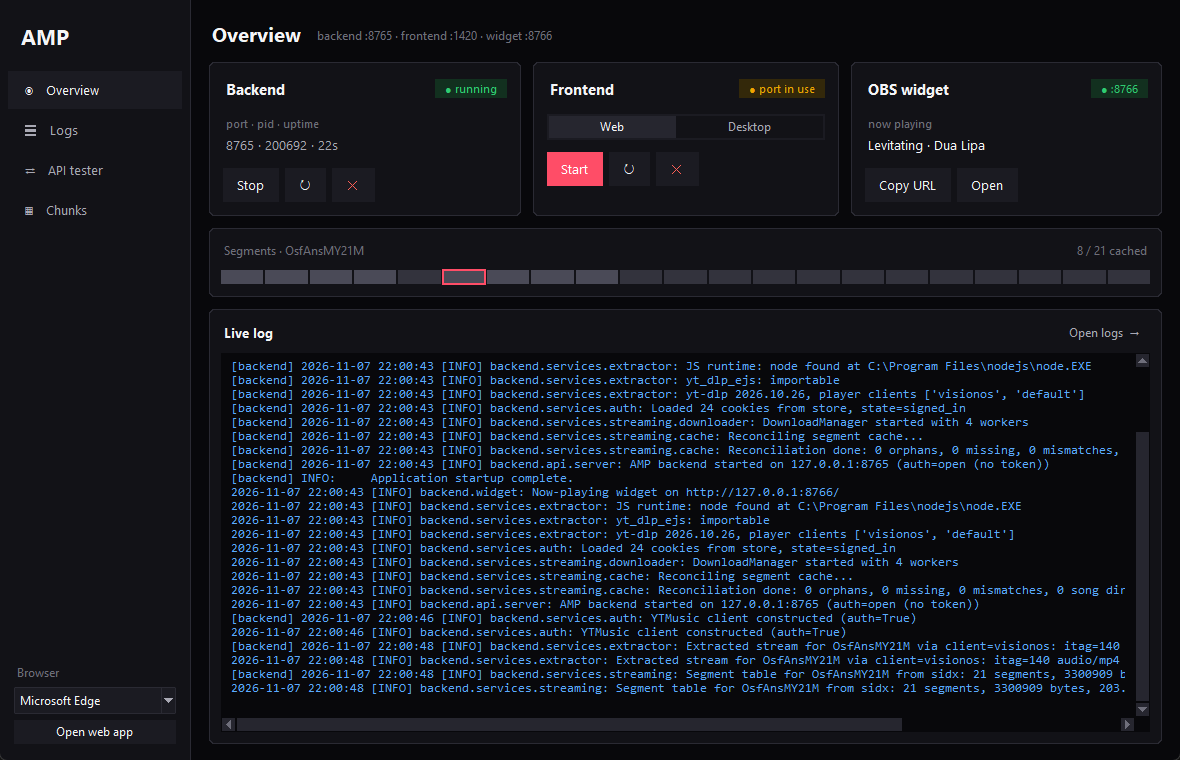
Overview
One card per service, refreshed every 2 seconds. The badge says running, starting, port in use (something else listens on that port) or stopped.
| Card | What it shows | Buttons |
|---|---|---|
| Backend | port, process id, uptime | Start / Stop, ↻ restart, ✕ force kill |
| Frontend | Web or Desktop mode (locked while it runs) | Start / Stop, ↻ restart, ✕ force kill |
| OBS widget | the song the widget shows, ❚❚ when paused | Copy URL, Open |
- Backend runs
python -m backend.mainon:8000(orAMP_PORT) with its data inamp/.amp/. ✕ stops the backend recorded inamp/.amp/backend.pid, but only if it still answers as that process; otherwise it kills whatever listens on the port. - Frontend, Web mode: the Vite dev server on
:1420, opened in the browser picked at the bottom of the sidebar, plus the backend (a browser can't start it). Desktop mode:npm run tauri dev; that app starts its own backend with its own data folder.
Below the cards, the segment strip shows the song playing in the launcher's backend: grey segments are on disk, yellow ones are downloading, the outlined one is playing. The live log shows the last 200 lines; Open logs goes to the full view.
Two backends in Desktop mode
The launcher's backend (:8000, amp/.amp/) and the one the desktop app starts (random port,
app data folder) don't share cache or sign-in.
Logs
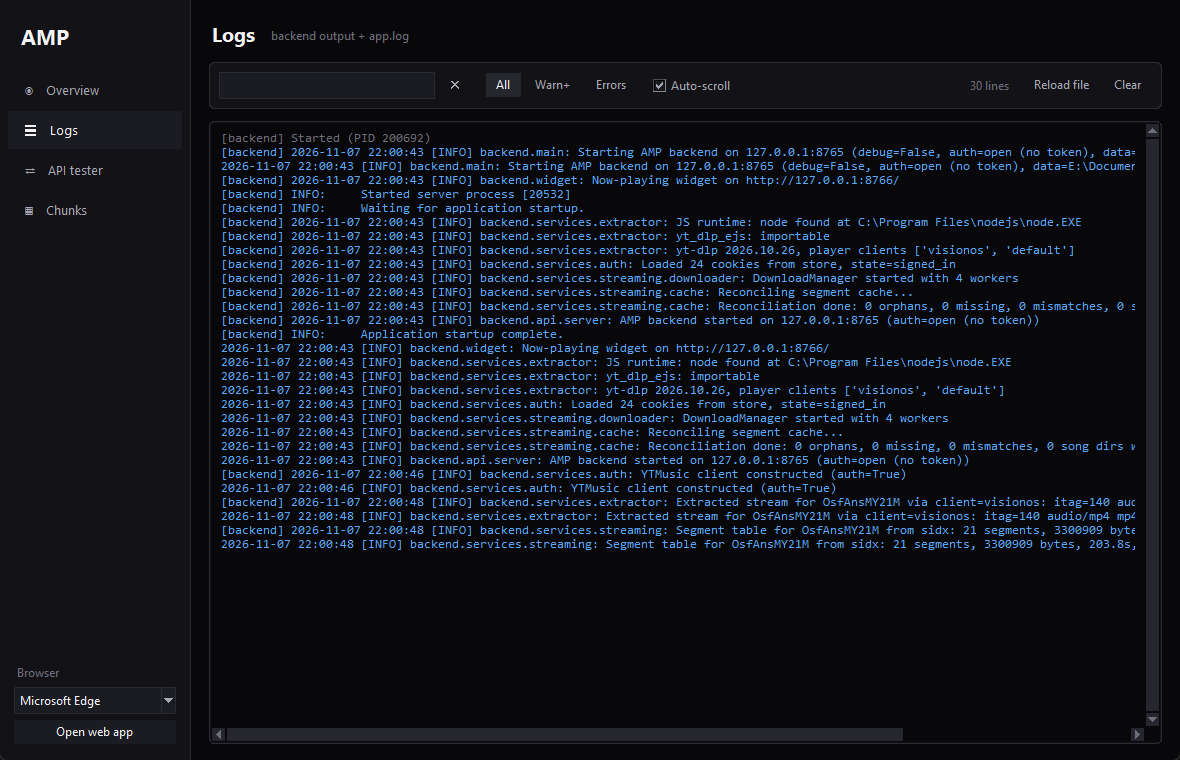
Backend output and amp/.amp/logs/app.log, coloured by level. Search highlights matches; the
All / Warn+ / Errors chips filter by level. Reload file re-reads the end of app.log,
Clear empties the view (not the file).
API tester
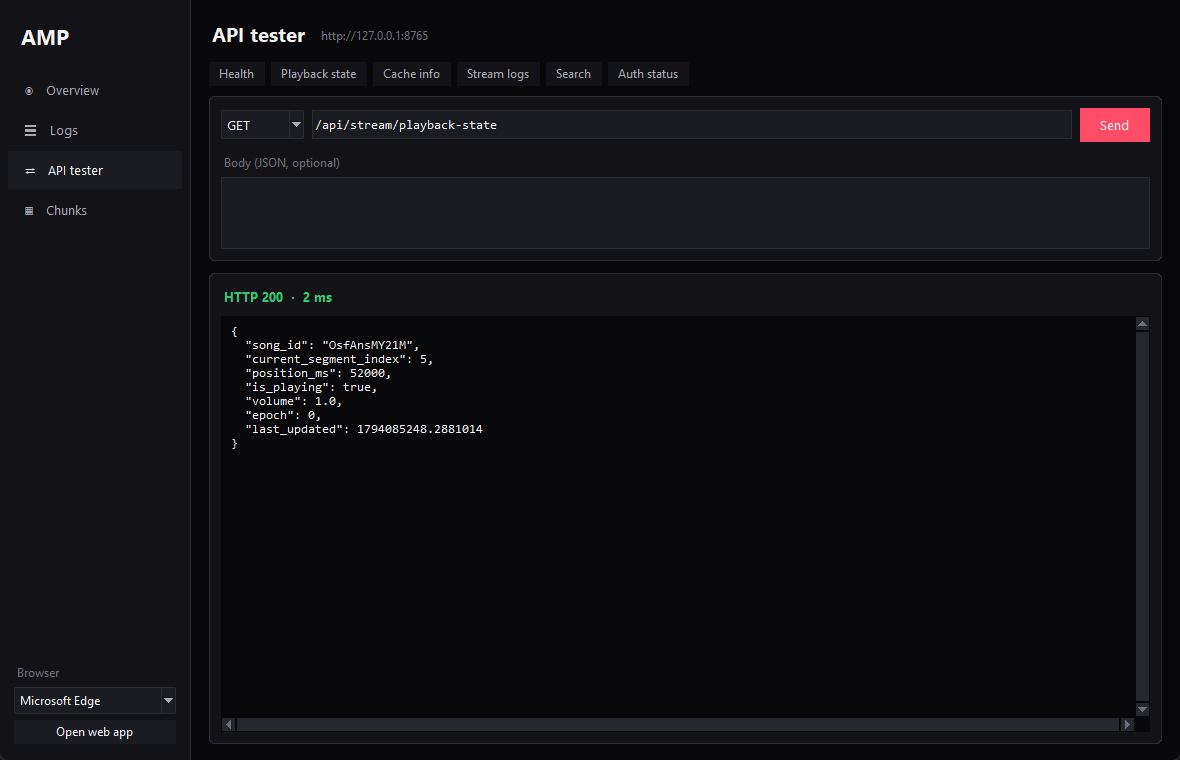
Send any method, path and JSON body to the backend; the response is pretty-printed with its status and timing. The quick buttons fill and send common requests (health, playback state, cache info, stream logs, search, auth status).
Chunks
The segments table from amp/userdb.sqlite, refreshed every 2 seconds while the page is open,
filterable by song id: index, status, size, duration, file path and last access per segment.
Closing the window
Closing the launcher stops the backend and frontend it started. On Windows the title bar follows the dark theme.