OBS now-playing widget
While AMP runs, a small page shows the current song (cover, title, artist, progress) for a stream overlay.
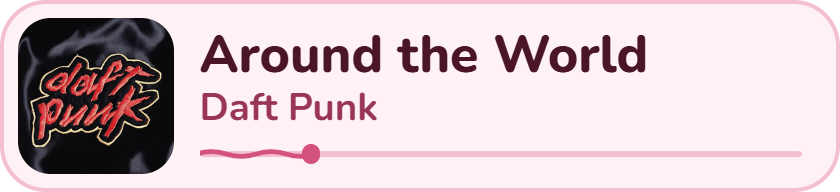
The wave covers the part of the song already played and moves while it plays; it freezes on pause. A thin line runs from the dot to the end of the song.
Add it to OBS
- Sources → + → Browser.
- URL:
http://127.0.0.1:8001/?w=320&h=72 - Set the source's Width / Height to the same
wandh(or a little larger).
w and h are the card size in pixels. Text, cover and progress bar scale with h, so a short card stays readable.
Without them the card uses the size set on the app's Widget page (320 × 72 by default).
Widget page
The Widget page in the app sets the card's default width and height and four colours: border, background,
progress bar and text (the artist line uses it at 75 %), plus one opacity slider for border and background (90 % by default). Copy widget URL at the top copies the address to paste in OBS. The widget picks up changes within a second, no OBS refresh needed.
w / h in the source URL still win over the size set here.
The card fades in when a song starts and hides when playback stops or AMP closes. The wave on the progress bar moves while the song plays and freezes on pause.
Details
- Size and colours are saved in
widget.jsonin the AMP data folder and served onGET /settings.json. - The page polls
GET /now.jsonevery second:{song_id, title, artist, cover_url, duration_ms, position_ms, is_playing}, or{"song_id": null}when nothing plays. - The player sends title, artist and cover with
POST /api/stream/{id}/play; the position comes from the usual position reports (every 2 s, and on pause). The page fills the gaps itself. - Port:
8001by default,WIDGET_PORTor--widget-portto change it,0to turn it off. If the port is taken (for example a second backend started byapp.py), the backend logs a warning and runs without the widget. - The server is read-only, listens on
127.0.0.1only and refuses otherHostnames. The page itself isamp/backend/widget.html: edit it freely, then refresh the OBS source. - Covers come from Google's image servers; a song without a cover shows its YouTube thumbnail.