Using the app
The window has a sidebar on the left (pages, session badge, cache use, backend status), the page in the middle, the queue panel on the right and the player bar along the bottom.
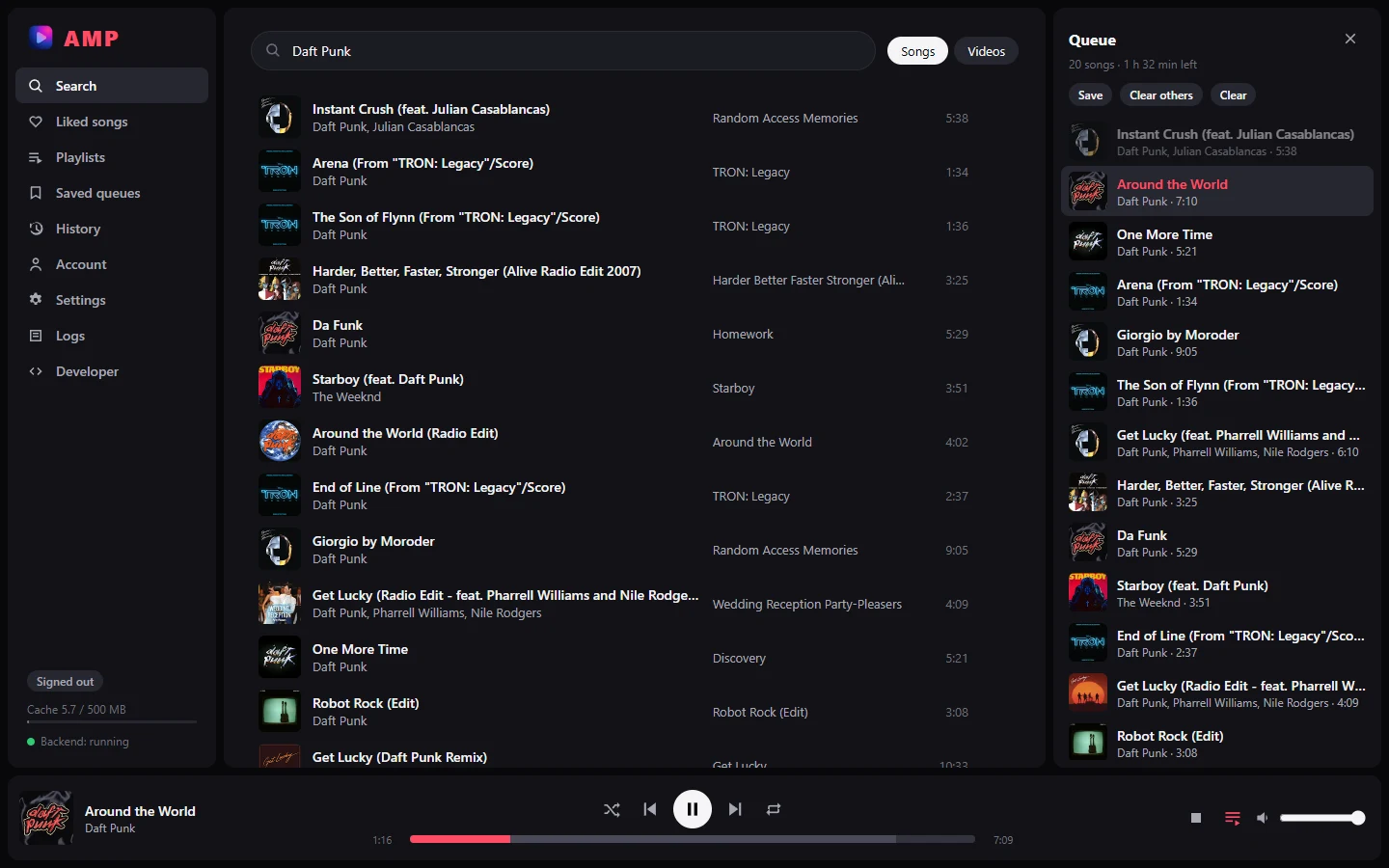
Search
Type in the search box and press Enter. The chips switch between Songs and Videos.
Click a result to play it. The whole result list becomes the queue, so Next continues with the next result. To keep your current queue, use a song's menu instead (below).
Song actions
Each row has a heart (when signed in) and a ⋮ menu, also on right-click:
| Action | What it does |
|---|---|
| Go to album | opens the song's album (looked up on YouTube Music; songs uploaded as plain videos have none) |
| Play next | inserts the song right after the current one |
| Add to queue | adds it at the end of the queue |
| Add to / Remove from liked songs | changes the like on your YouTube account (signed in only) |
| Add to saved queue | adds it to a saved queue, or a new one |
Pages showing a list (liked songs, a playlist, an album, a saved queue) have the same actions for the whole list in their header: Play, Shuffle, Play next, Add to queue, Save as queue.
Now playing
Now playing (first in the sidebar, or click the song in the player bar) shows the current song: big cover, title, artist, album, duration, its place in the queue, the heart, Go to album, and the next five songs. It follows the queue: when the next song starts, the page switches to it. Clicking a song under Up next shows that one instead; ← Current song goes back.
Albums
Go to album opens the album page: cover, artist, year, all its tracks, and the usual Play, Shuffle, Play next, Add to queue, Save as queue buttons.
The queue
The queue panel opens and closes with the queue button in the player bar.
- Click a song to jump to it. Songs already played are dimmed.
- Drag a song to reorder. × removes it. The same song can be queued twice.
- Its ⋮ menu has Display song info (shows that song on the Now playing page), Go to album, and the usual song actions.
- Save stores the queue under a name. Clear others keeps only the current song; Clear empties the queue and stops playback.
- Shuffle randomises the upcoming songs; switching it off restores the order.
- Repeat cycles through off, all (back to the start after the last song) and one (the song replays; Next still moves on).
The queue, its position, the repeat mode and the volume come back at the next launch, paused. Shuffle starts off.
Saved queues
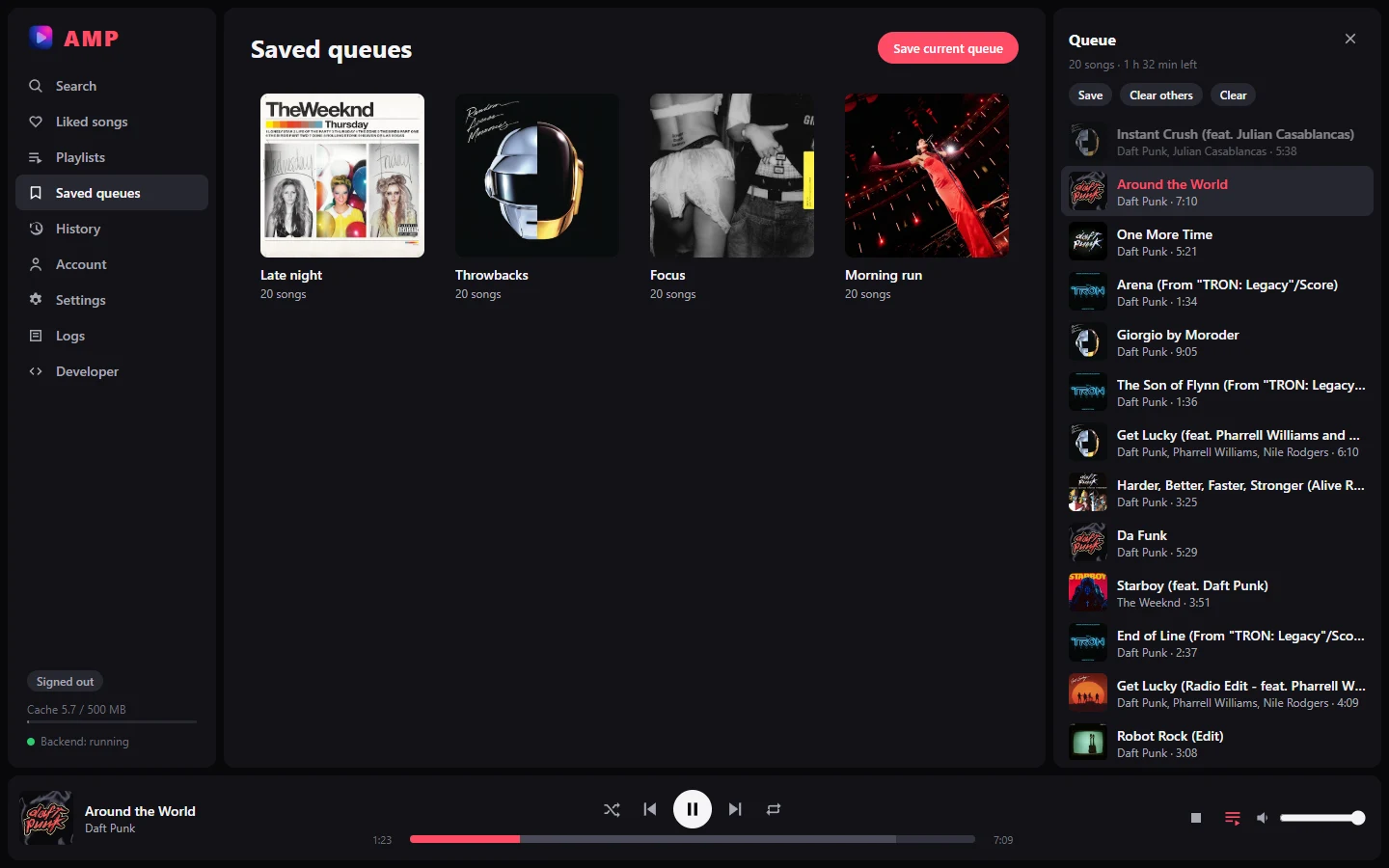
The Saved queues page lists what you saved. Open one to play it, shuffle it, add it to the current queue, rename it, replace its content with the current queue, delete it, or remove single songs through their menu. Saved queues are stored locally in the app's database, not on YouTube.
History
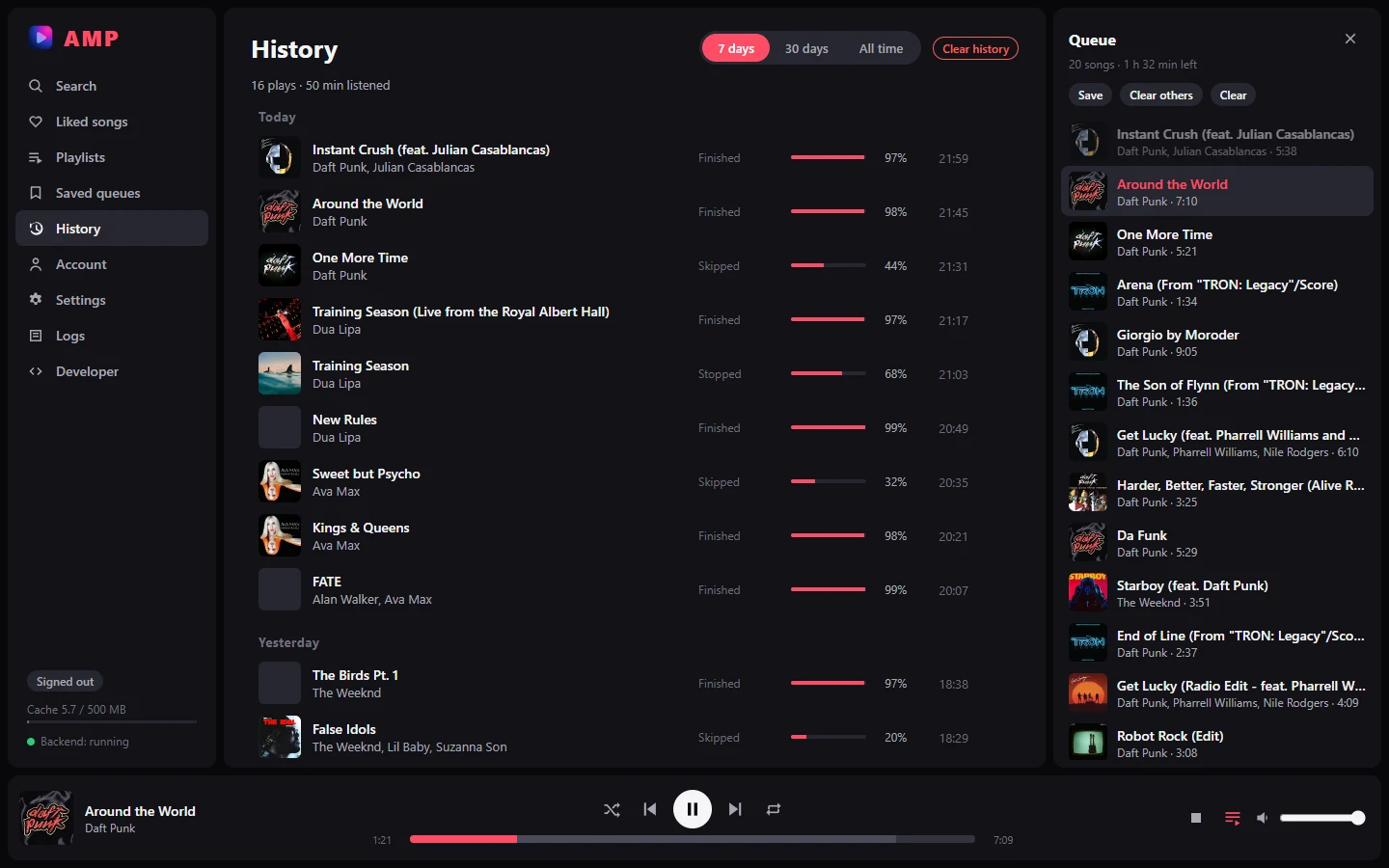
History lists what you listened to, grouped by day, with the share of each song you actually heard (jumps in the song don't count) and how it ended: Finished, Skipped, Stopped or App closed. Pick 7 days, 30 days or all time; the summary shows the number of plays and the total listening time. Click a song to play it, ✕ removes one entry, Clear history removes everything. Plays shorter than 5 seconds aren't recorded. The history is stored locally, not on YouTube.
Settings
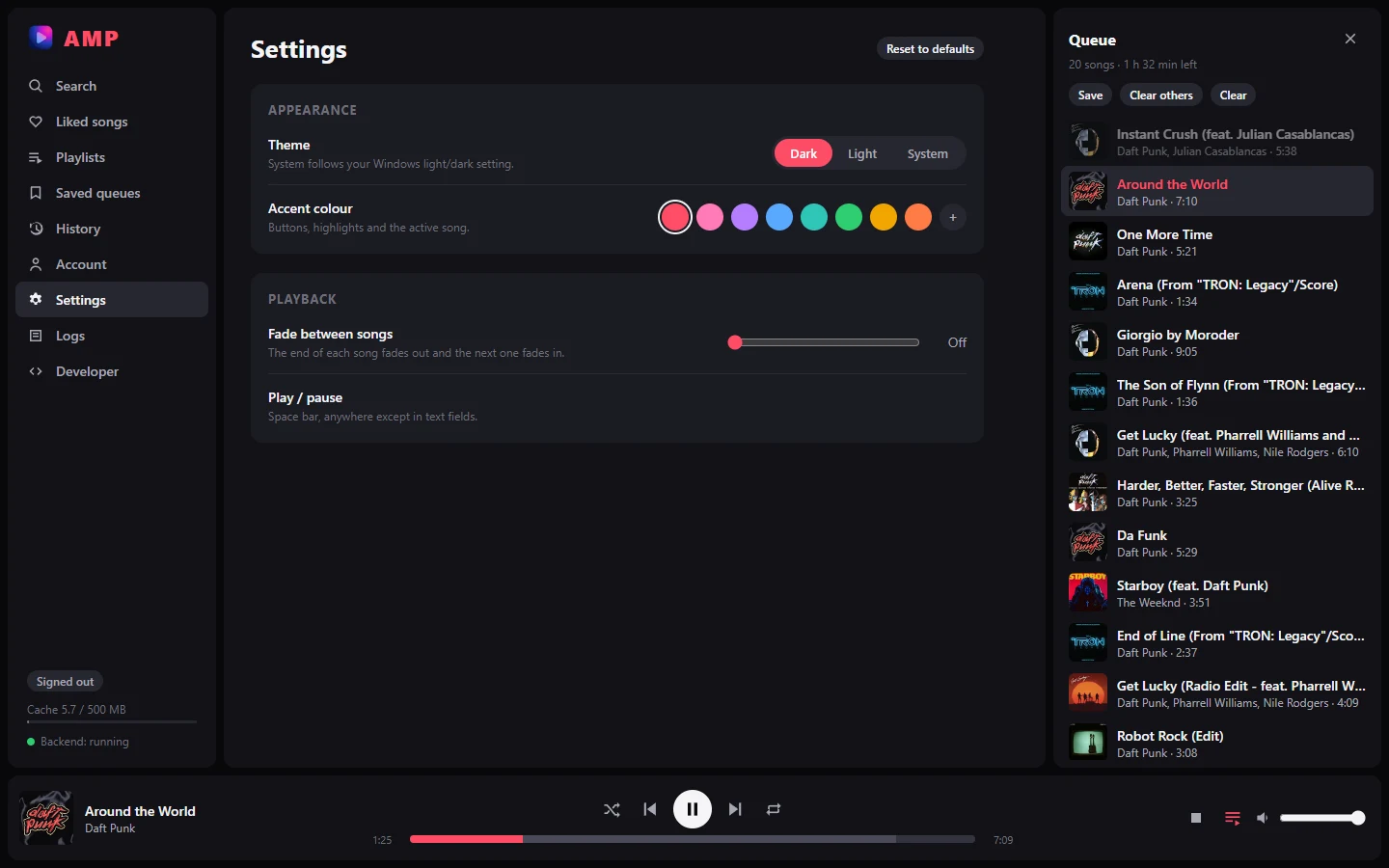
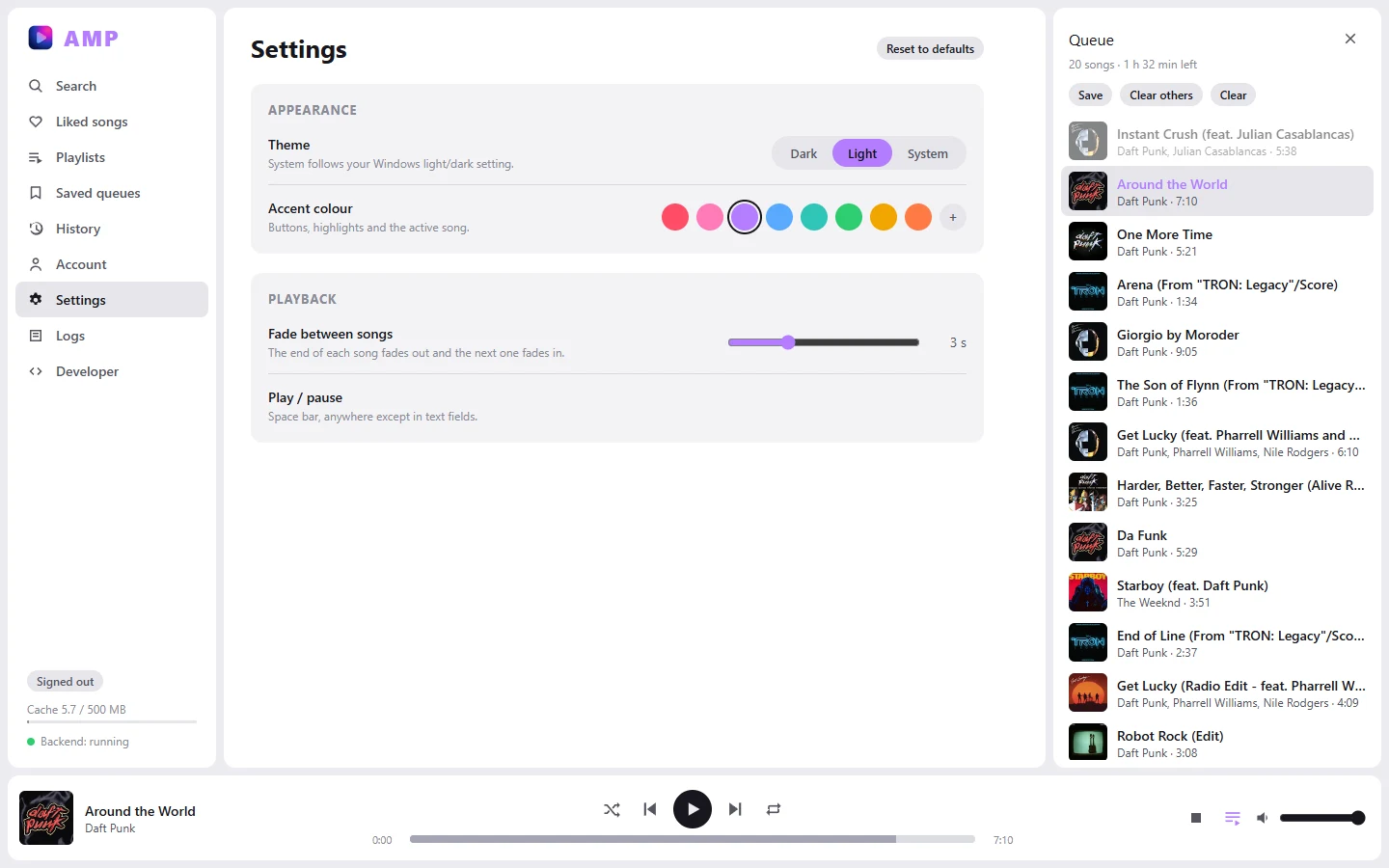
| Setting | What it does |
|---|---|
| Theme | Dark, Light, or System (follows Windows) |
| Accent colour | 8 presets or any colour (+). Text on it switches to dark when white would be hard to read |
| Crossfade | 0–10 s (Off by default): the next song starts that long before the end of the current one; one fades out while the other fades in. Only when a song ends on its own: Next, pausing or stopping during the overlap cut the old song |
| Volume normalization | Off by default. Plays songs at the same loudness from YouTube's own loudness measurement of each song: louder songs are turned down to a common level, so everything gets a little quieter (raise the volume to compensate). Songs quieter than that level are not boosted |
Settings are kept on this computer and apply immediately.
Playlists
With a signed-in account, Playlists lists your YouTube playlists. Click one to see its songs. Tracks YouTube no longer offers are left out. Up to 1000 tracks are loaded.
The player bar
| Control | What it does |
|---|---|
| ⏮ Previous | restarts the song if more than 3 s have played, else goes to the previous song |
| ▶ / ⏸ | play / pause, also with the space bar anywhere except in text fields. A spinner means the stream is still loading |
| ⏹ Stop | stops playback |
| Shuffle, Repeat | see The queue |
| Heart | like the current song (signed in only) |
| ⏭ Next | next song in the queue. Also happens automatically when a song ends |
| Volume slider | volume, remembered between launches (half volume the first time) |
System media controls
AMP shows up in the operating system's media controls (the Windows volume flyout and lock screen, MPRIS on Linux, Now Playing on macOS) with the song's title, artist and cover. Play/pause, previous, next, stop, seeking and the keyboard media keys all work from there, as if you had clicked the player bar.
The segment bar
The progress bar is made of one cell per segment of the song (about 10 seconds each). Its colour shows what's on disk:
| Colour | Meaning |
|---|---|
| light grey | downloaded |
| yellow (pulsing) | downloading |
| dark grey | not downloaded yet |
| red | download failed |
The played part is drawn on top in the accent colour. Click anywhere on the bar to seek. Seeking into grey cells works too: those segments are fetched first.
AMP downloads about 30 seconds ahead of where you are, so the bar fills a little ahead of the playhead, not all at once. Near the end of a song (last 20 seconds, or past 80 %), the start of the next song in the queue is downloaded so it starts instantly.
Cache info
At the bottom of the sidebar: how much disk the cache uses, out of its limit (500 MB by default). Hover it for the number of songs and segments. When it's full, the songs you haven't played for the longest are removed first. The song playing is never removed.
When something goes wrong
Errors appear in red under the song title, in plain words, for example:
| Message | What it means |
|---|---|
| Sign in required for this track | YouTube refuses this song without an account (age-gated, for example). Sign in |
| This track is unavailable | removed, private or blocked in your country |
| Node.js not found. Install it and restart. | see Troubleshooting |
| Couldn't get the audio stream from YouTube | yt-dlp failed; often fixed by updating yt-dlp |
| Backend not reachable | the backend stopped; see the sidebar status and the Logs page |
If the connection drops in the middle of a song, the player reloads once and resumes where it was.
Queue and restore
The queue, the current song and the volume are saved automatically. When you restart AMP, the same song is back in the player bar, paused: press play to continue.
Library and Playlists
These two pages need you to sign in. When you're signed out they show a Sign in button instead.
- Library: your liked songs. Click one to play it; the list becomes the queue.
- Playlists: your playlists as cards (name and number of songs). Opening a playlist's tracks isn't implemented yet.
The sidebar
- Backend: running / starting / stopped / error: the state of the local backend. When it isn't running, a Restart button appears next to it; check the Logs page for the reason.
- Session badge:
Signed in,Signed outorSession expired — reconnect. Click it to open the Auth page. It is refreshed every minute.
Logs
Three tabs, useful when something doesn't work:
| Tab | Content |
|---|---|
| Backend stdout | everything the backend printed, including startup errors |
| Streaming | the backend's recent log lines, read through the API: extractions, segment tables, downloads, retries, errors |
| API relay | messages from the player itself (loads, errors, time to first audio). Clear empties it |
Log files are also written to disk, in the logs/ folder of the
data directory (app.log, streaming.log,
rotated at 5 MB, 3 old files kept).
Developer
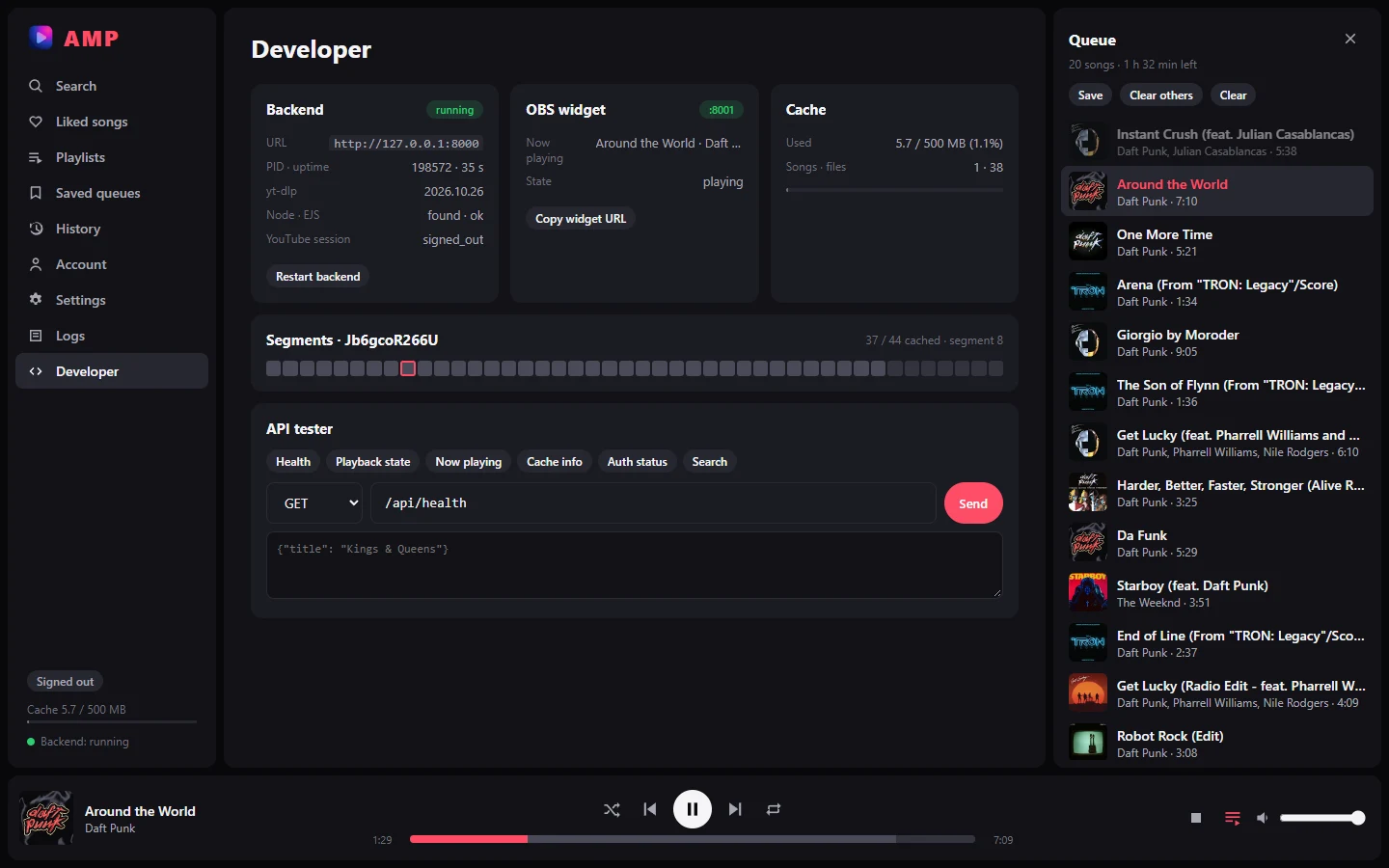
The Developer page gathers what the developer launcher shows, inside the app: the backend (URL, process id, uptime, yt-dlp / Node.js / EJS, YouTube session, Restart backend), the OBS widget (port, what it shows, Copy widget URL), cache use, the segments of the current song (the playing one outlined), and an API tester with quick buttons for common routes. Everything refreshes every 2 seconds.